 gilvt
gilvt
The terminal that knows what your agents are doing
Run Claude Code and Codex side by side in their own native TUIs. gilvt shows which session is waiting for you, what each turn changed, and takes you there in one keystroke.
Universal (Apple silicon and Intel) · macOS 11 or later · signed and notarized by Apple · Apache-2.0
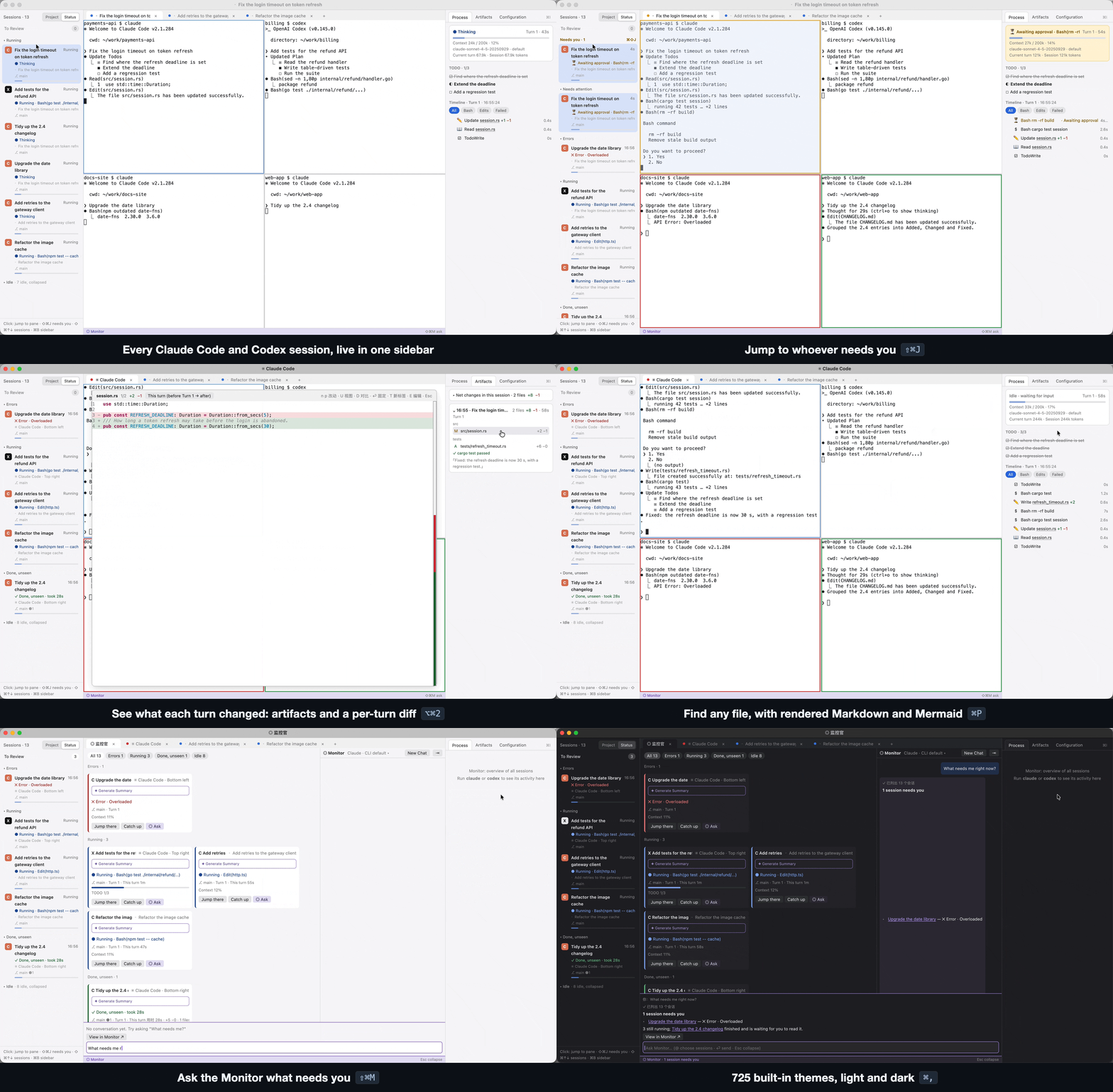
A real terminal, plus a view of every agent
gilvt is first a complete everyday terminal: tabs, splits, true color, the Kitty keyboard protocol, input methods and GPU rendering. On top of that it reads what Claude Code and Codex are doing, without ever typing into them.
One sidebar for every session
Every agent session, grouped by project or status. The ones waiting for approval or asking a question stay on top.
Jump to whoever needs you ⇧⌘J
Cycle through the sessions that need you, across tabs and windows. Pane borders and tab dots show state at a glance.
Every turn, as a timeline
Commands, edits, TODOs and failures, turn by turn. Click a row and the terminal scrolls back to it.
What each turn changed ⌥⌘2
Per-turn artifacts with a "this turn" diff, so you can review an agent's work without leaving the terminal.
Find and resume sessions ⇧⌘R
Search sessions from days ago, resume them, review finished ones offline, start a new agent in a fresh git worktree.
The Monitor ⇧⌘O
All agents and terminals as cards. Ask "what needs me?" from a command bar in any tab, answered by your own local CLI.
Quick Look and an editor
Code with diffs, rendered Markdown and Mermaid, ⌘P fuzzy file search, and a built-in editor with live preview.
725 themes
The Ghostty-format theme collection plus your own, with separate light and dark picks. The window chrome follows the theme.

Built on a few rules
- Agents stay in their native TUI. No chat UI of its own, no approval buttons.
- Observe, never answer. gilvt shows state and moves focus; it never types into an agent.
- Your configuration is untouched. Hooks are injected at launch; your rc files,
~/.claudeand~/.codexstay as they are. - No telemetry. gilvt makes no network requests of its own. Privacy
Install
Requires macOS 11 or later. The interface defaults to Simplified Chinese; switch to English in Settings (⌘,) → Language.
- Download the disk image and open it.
- Drag Gilvt into Applications, then open it from there. If you open it straight from the disk image, gilvt offers to move itself.
- Run
claudeorcodexin a pane. The sidebar and inspector pick the session up automatically.
Or build from source with Rust and the Xcode Command Line Tools:
git clone https://github.com/Gilvt-WTJ/gilvt.git
cd gilvt
scripts/bundle.sh release
open target/release/Gilvt.app